

New: CL-150 Flashcard Mode Posted by meaghan on Apr 9, 2026 in For Learners
You’ve been asking for the ability to make your own vocab lists in the CL-150 Platform.
Rightly so! Vocabulary is the foundation of language proficiency. And by ILR 2, you’ve acquired 3,000-4,000 new words and phrases. That’s a lot to keep track of.
Manage and maintain your vocab your way in the new Flashcard Mode in the CL-150 Platform:
- Build a personal vocab library
- Make lists, organize them into folders, and tag them by topic
- Study your vocab lists with 6 activities covering all 4 modalities
- Track your performance so you know where to focus
Create Vocab Lists Your Way
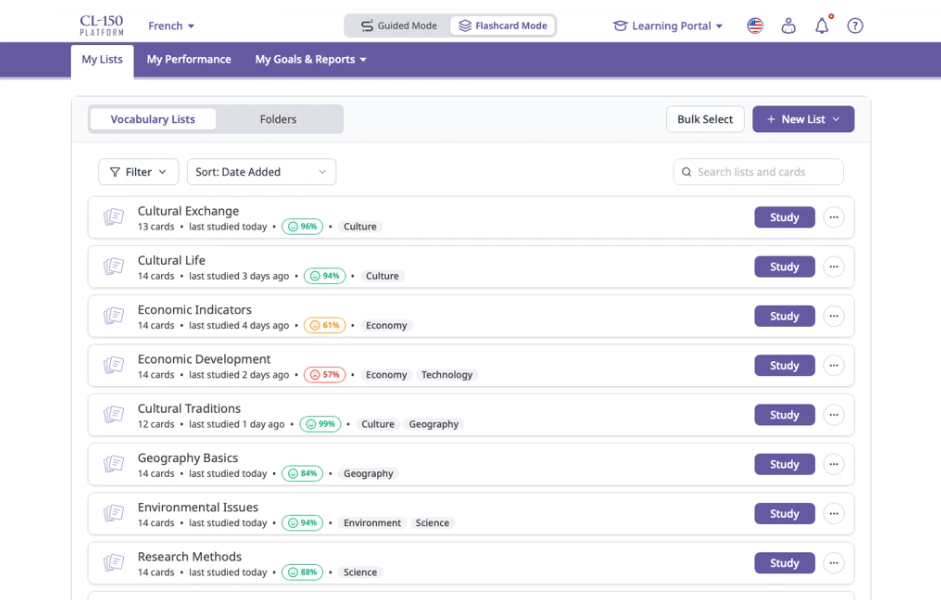
At the heart of Flashcard Mode is My Lists, your personal vocabulary library. You can create your own vocabulary lists, pulling in words from anywhere.
Once your lists are there, they’re yours to organize, customize, and study on your schedule.
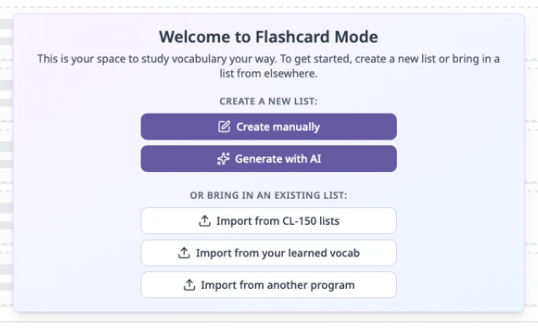
Creating a vocabulary list has never been more flexible:
- Create manually: Build a list card by card, with support for hints, notes, images, and audio recordings or text-to-speech generation for each item.
- Generate with AI: Describe a topic, pick a target ILR level, and let AI draft a vocabulary list for you in seconds. Review it, tweak it, and make it your own.
- Import from your CL-150 lessons: Bring your Learned Vocab from the CL-150 directly into Flashcard Mode, organized by the lessons they came from.
- Import from another program: Paste a list from any document or spreadsheet and we’ll parse it into flashcard pairs automatically.
Stay Organized with Folders
As your list library grows, Folders help you keep things tidy.
Group lists by topic, project, proficiency goal, or anything else that makes sense for how you work. A list can live in multiple folders, and removing a folder never deletes your lists.
Study Your Vocab 6 Ways
Different moments call for different approaches. Flashcard Mode offers six distinct study activities for every list so you can practice any modality:
- Preview It: Flip through cards at your own pace, no pressure.
- Say It: See a word and practice recalling or producing its translation aloud.
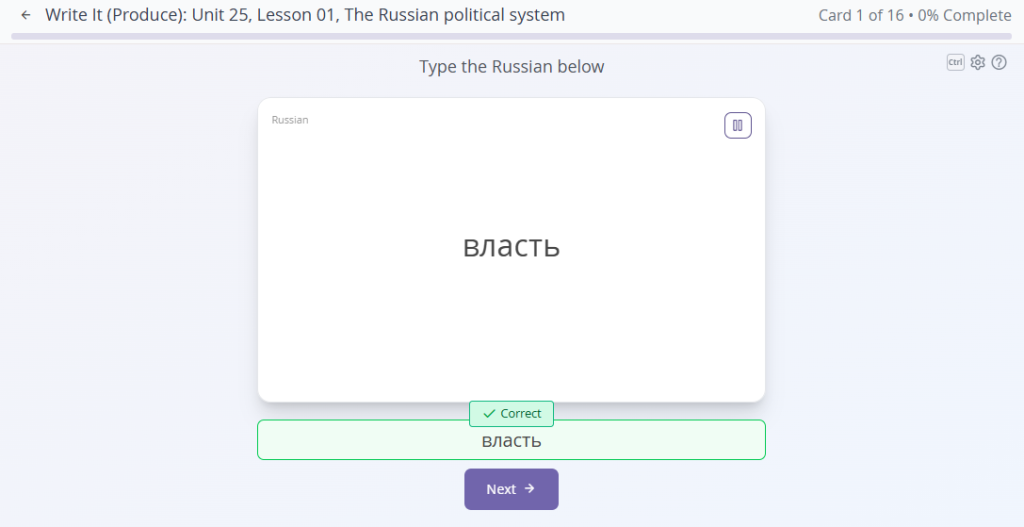
- Write It: Type out translations to reinforce spelling and active recall.
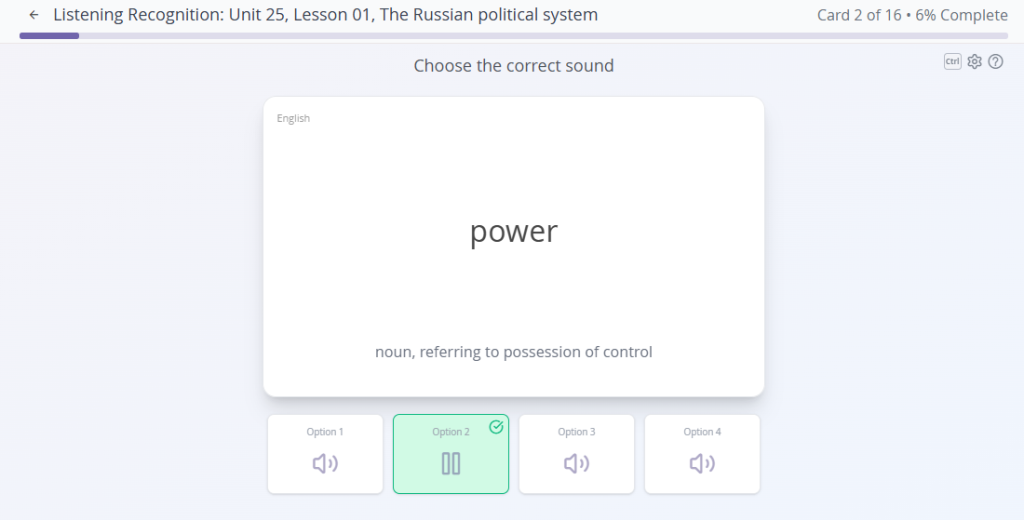
- Listening Recognition: Hear audio and identify the correct match from options.
- Multiple Choice: Listen to audio and select the right word from a set of cards.
- Dictation: Hear a word and type what you hear.
Every activity lets you choose your study direction, randomize card order, and fine-tune settings to fit your style. And because you can select exactly which cards to include in any session, you’re never stuck reviewing items you already know cold.
Track Your Progress and Chase Your Best
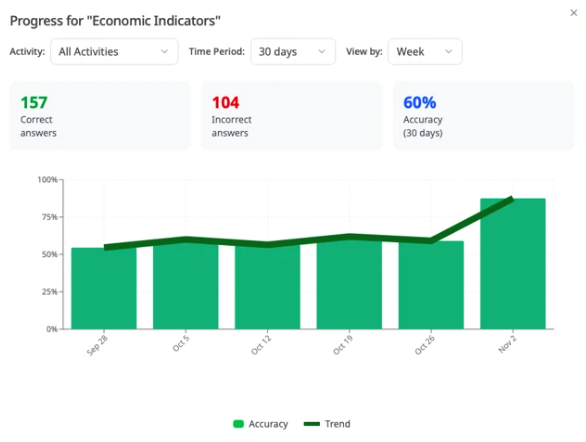
Flashcard Mode keeps a running record of how you’re doing on every card in every activity, so you always know where to focus. Color-coded accuracy indicators make it easy to spot which lists (and which individual words) need the most attention.
The My Performance tab gives you a clear view of the last 30 days of study activity: which lists and items are thriving, which ones need work, and how your accuracy breaks down by tag and activity type (aka modality).
Your most problematic items are surfaced automatically, so you can jump straight into a targeted review session without having to hunt for them yourself.
Ready to start adding, organizing, and studying your vocab? Log in and look for the Guided Mode / Flashcard Mode toggle at the top of the home screen on desktop (top of the hamburger menu in the app) to get started.
Happy studying.
